How we built Abhishek Design Studio
Abhishek Design Studio started as a small badge canvas for print shops and opened as a free public web studio on 23/03/26. This page is the product story for organizers and makers — how the studio feels then versus now — with real app screenshots, not a developer changelog.
- What A browser badge design studio for events, schools, and print shops.
- Processing You design in the browser; signed-in cloud save syncs designs; analytics and error reporting may run.
- Launch Public studio available to outside users from 23/03/26.
- Exports PNG, JPG, SVG, and PDF sheet export.
- Audience Event organizers, schools, corporate badges, and badge print shops.
- Location Secunderabad, Telangana, India — Abhishek Products.
- Pricing Free web tool; account required to open the studio.
- Browsers Modern evergreen browsers (Chrome, Edge, Firefox, Safari).
- Event Mode Guests upload without installing an app; designers work in the signed-in studio.
Then vs now
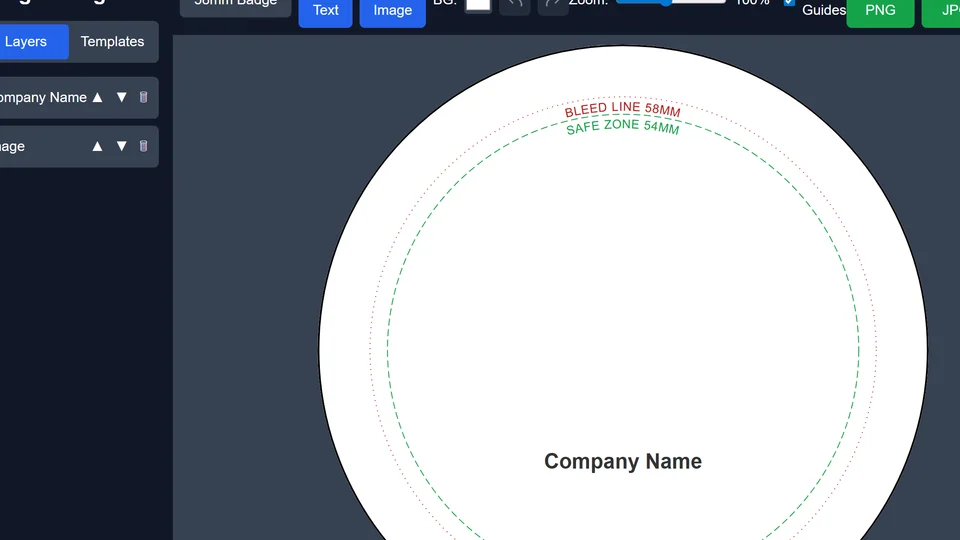
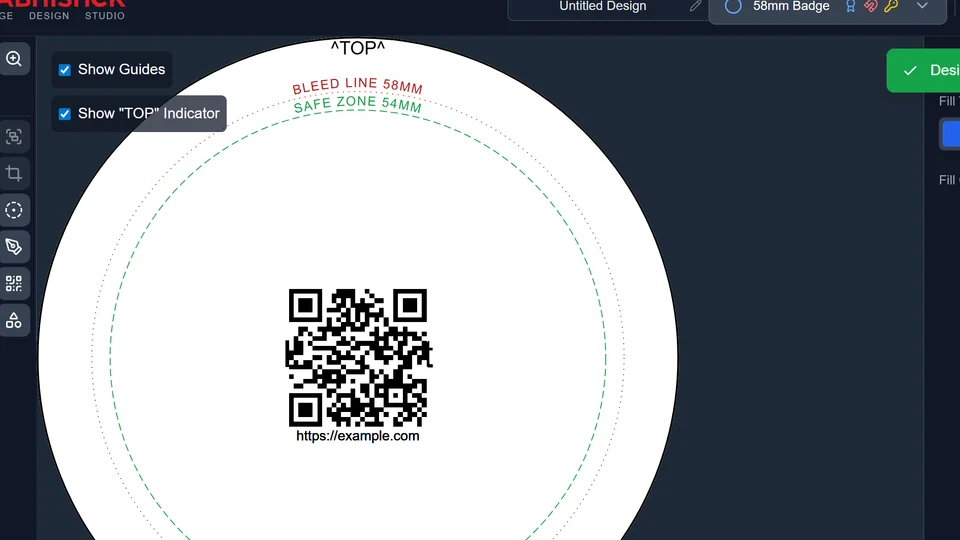
| Then (early studio) | Now (today’s studio) |
|---|---|
| A focused badge canvas for operators learning print guides | Public web app with account, cloud save, and Event Mode |
| Early export and multi-size badge experiments | PNG, JPG, SVG, and printable PDF sheets |
| Mostly single-operator workflows | Guests can upload photos via Event Mode links |
What stays true
- Built for real badge machines — safe zone, die, and bleed guides matter.
- Runs in the browser — no desktop install required for the web studio.
- Made by Abhishek Products in Secunderabad for print shops and organizers.
Early studio
From September 2025 we built a badge canvas that treated print guides as first-class — safe zone, die, and bleed — so finished buttons survived the crimper.
Operators could pick sizes, place text and images, and try PDF and image exports before the studio was open to the public.
- Canvas with print guides
- Configurable badge sizes
- Early export paths
Show organizers where the cut lines live — screenshots matter as much as copy.
Public studio
On 23/03/26 the studio opened to outside users as a free web tool with sign-in for /app.
Since then we added clearer Event Mode guest uploads, cloud save, and ongoing polish so print shops and organizers can ship badges without a desktop install.
- Public web access
- Phone OTP and email sign-in
- Event Mode for live events
Tell the product story with real UI — visitors should recognize the app they will open.
How the product grew
- 2026 — Event Mode for guest photos: Organizers share a link or QR; guests upload from a phone browser; designers pull photos onto badge templates in the studio.
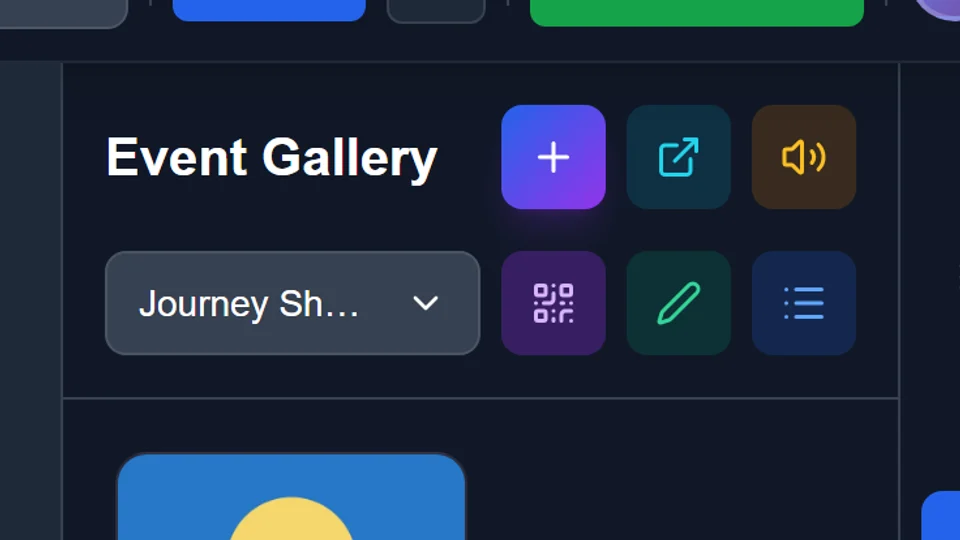
Event Mode — guest photos ready for badge templates. - 23/03/26 — Opened to the public: Anyone could open the web studio, sign in, and design badges online without installing desktop software.
Now — today’s public studio workspace organizers open after sign-in. - Sep 2025 — More than one badge size: Operators could choose sizes that matched their machines — not a single fixed die — so the same workflow covered common event and school formats.
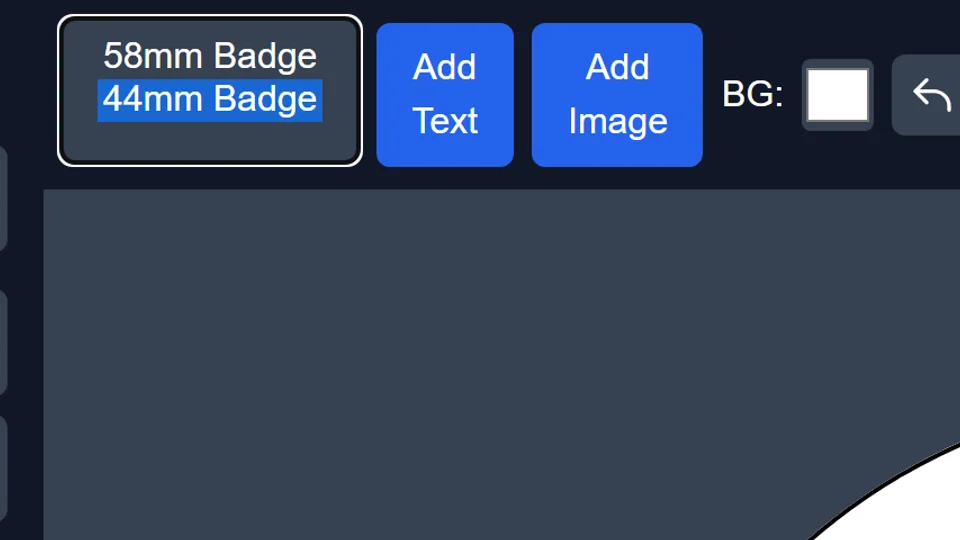
Configurable badge sizes so layouts match real machine dies. - Sep 2025 — A canvas built around badge dies: The early studio put the badge circle (or square) front and center with safe / die / bleed guides so layouts stayed print-ready.
Then — early studio canvas focused on badge dies and print guides.
Journey FAQ
Who built this?
Abhishek Design Studio is built by Abhishek Products in Secunderabad, Telangana, India — the same team behind abhishekid.com badge supplies.
Is it still improving?
Yes. We keep shipping canvas, auth, Event Mode, offline drafts, and studio polish. Dates on this page are for visitors — when the product became usable for you — not a developer changelog.
Do I need to install anything?
No desktop install is required. Use a modern browser, sign in, and design online. You can optionally install the PWA if your browser offers it.
Are the screenshots real product UI?
Yes. Then/now and chapter images are product screenshots of the studio (or Event Mode). Captions describe the era in plain language so you can recognize the app you will open.
How is this different from Canva or generic badge templates?
This studio is aimed at button-badge production: die sizes, safe/bleed guides, sheet PDF packing, and Event Mode photo intake. Canva is a general design suite. Use whichever fits your print workflow — we focus on badge-machine realities.